It is 7:40 on a school night and the TV is on its fourth "one more episode." You have seen a parent's post in a Claude group this week: a home made TV timer where the kids pick who is watching and for how long, a countdown sits in the corner, and the parent adds 15 minutes or ends the session from their phone. The parent says they wrote no code. Claude wrote it.
The short answer: you can build the same thing in an evening with three parts. A small Android TV app that Claude Code writes for you, a free push service called ntfy that carries messages between the TV and your phone, and the ntfy app on your phone with buttons for +15 minutes and End now. Before you build anything, check the free option already on your TV: Google TV kids profiles have daily limits, a bedtime and bonus time built in. Build your own only if you want the parts Google does not offer, such as two children sharing one session or sending a message to the screen.
Key takeaways
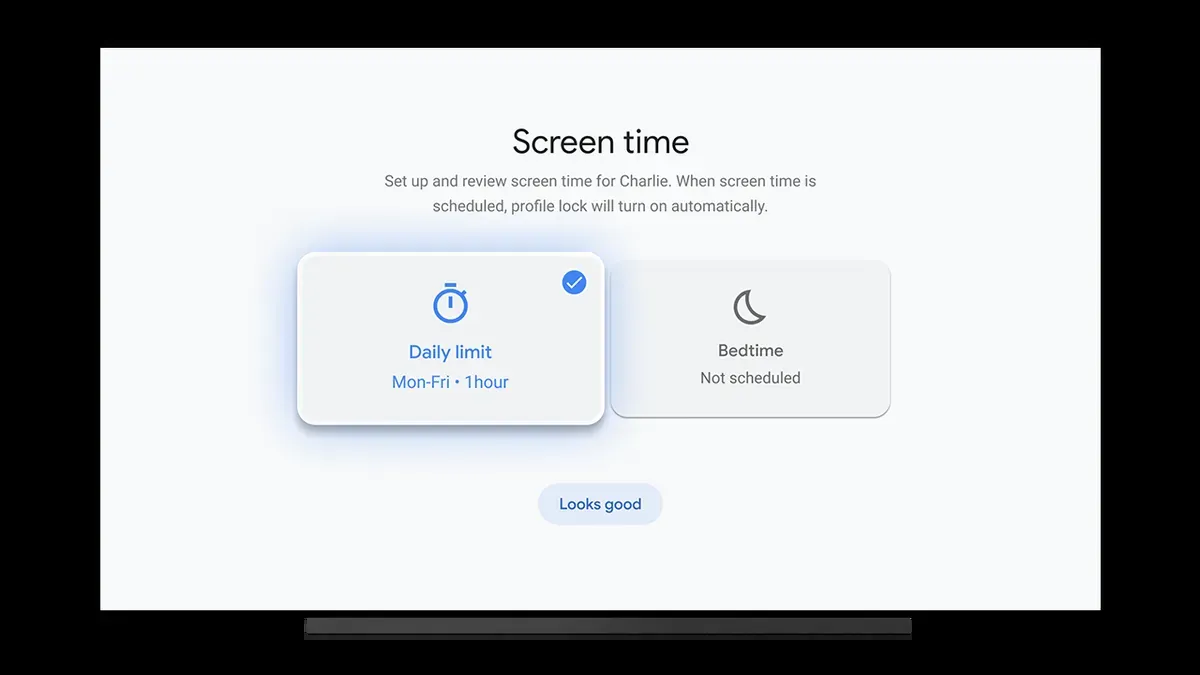
- Google TV kids profiles already set a daily limit in 15 minute steps (up to 8 hours), a bedtime in 30 minute steps, and bonus time from the timeout screen. Try that first. It costs nothing.
- A custom timer needs Claude Code, which comes with paid Claude plans only. Pro is listed at $20 a month billed monthly, or $17 a month billed yearly, before tax.
- Your own app has to be installed from a computer with Android's adb tool. Google's new developer verification rules exempt adb installs, so this route keeps working.
- We have not built and run this on a TV. This guide is a blueprint based on the official documentation for each part, plus a prompt you can paste into Claude Code.
At a glance
| Google TV kids profile | Your own timer app | |
|---|---|---|
| Setup time | About 10 minutes on the TV | One evening, mostly waiting for Claude and testing |
| Daily limit | Yes, 15 minute steps up to 8 hours | Whatever you ask Claude to build |
| Bedtime | Yes, 30 minute steps | Yes, any quiet hours you choose |
| Extra time | From the timeout screen, with your Google PIN | From your phone, wherever you are in the house |
| Two kids sharing one session | No, one profile at a time | Yes |
| Message to the TV | No | Yes |
| Cost | $0 | A paid Claude plan while you build; ntfy is free for light use |
| Upkeep | Google updates it | You fix it when Google TV updates break it |
First, try the timer Google already built
If your TV runs Google TV (a Google TV Streamer, a Chromecast with Google TV, or a Sony, TCL or Hisense set with Google TV), open your profile picture, choose Add account, then Add a kid. Under Settings, Accounts & Profiles, pick the child's profile and open Screen time. You get a daily limit and a bedtime, and the Kids lock stops them switching back to your profile. When time runs out, Google says the kids see three countdown warnings before a "Time is up" screen. You can add bonus time from that screen with your PIN.
Google notes that kids profiles may not be available in some regions or on some devices. If yours has them, this covers most families, and you can stop here.
When building your own makes sense
- Two children, one session. Siblings watching together count against both of their minutes. A kids profile tracks one person at a time.
- Control from another room. You add 15 minutes or end the session from your phone without walking to the TV and typing a PIN.
- Messages on screen. "Dinner is ready, finish this part and come eat" appears on the TV and pauses nothing until your child presses OK.
- Asking for more time. Your child taps "Ask for more" on the TV and you get a notification with Yes and No buttons.
If none of those matter to you, the kids profile is the better tool. It is free and someone else maintains it.
How the home made version works
The setup we describe swaps the always on home computer that some builds use for ntfy, a free, open source notification service. Both the TV app and your phone talk to one private ntfy topic, so you have one less machine to keep running.
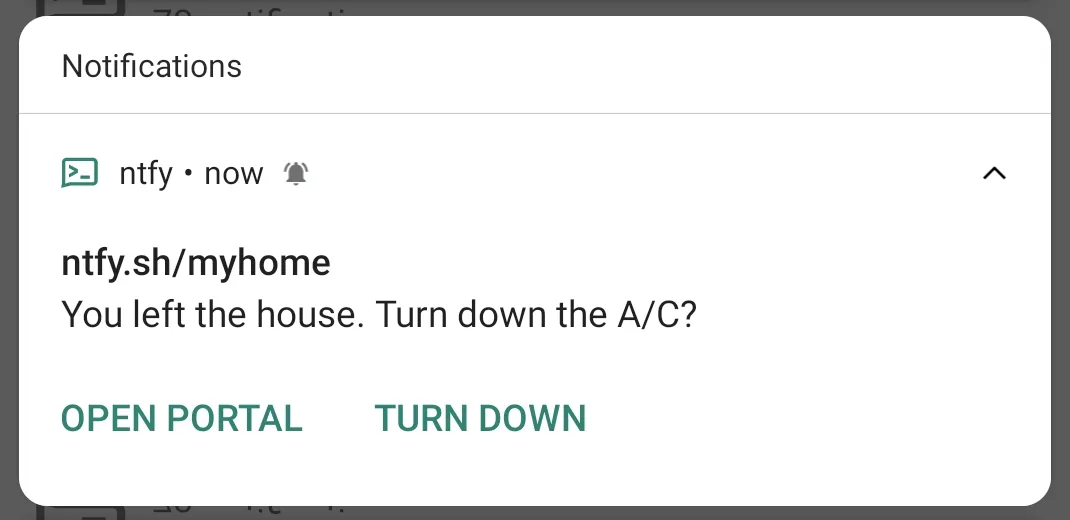
ntfy makes the phone side simple. Its notifications can carry up to three action buttons, and an http button sends a web request when you tap it. Your +15 button posts the word add15 back to the topic, and the TV app, which listens to the same topic, adds the time.
What you need
| Item | Details |
|---|---|
| A Google TV or Android TV device | Wireless debugging from a computer needs Android 13 or later on a TV, per Android's adb documentation. Older TVs can use a USB connection instead |
| A Windows or Mac computer | Runs Claude Code and installs the app on the TV |
| Claude Code | Included with Claude Pro and Max, not the Free plan. Pro: $20 a month monthly or $17 a month yearly, before tax |
| Android SDK Platform Tools | Free download from Google. Contains adb, which installs the app |
| ntfy | Free without an account, with rate limits. Paid plans from $5 a month (yearly) add reserved topic names |
| The ntfy phone app | Free on Google Play, F-Droid and the App Store |
Step 1: make your private ntfy topic
- Install ntfy on your phone and tap + to subscribe to a topic.
- Pick a long name nobody would guess, such as
tvtimer_smith_k7q2m9xz. ntfy has no sign up, so the topic name works as the password. Anyone who knows it can read and post messages. Do not use your children's names in it. - Write the name down. You will give it to Claude in step 3.
Step 2: turn on developer options on the TV
- On the TV, open Settings, System, About.
- Select Android TV OS build seven times. A message says you are now a developer.
- Go back to System, open Developer options and turn on Wireless debugging, or USB debugging on older sets.
Menu names vary a little by brand. Android's documentation describes the same steps for phones, where you tap Build number seven times.
Step 3: ask Claude Code to build the app
Open the Claude desktop app, choose Code, and pick an empty folder such as TV Timer. Paste the prompt below, with your own topic name and rules. Claude will plan first, ask you a few questions, then write the files. Expect to answer Allow on several requests while it installs tools and builds.
Build me an Android TV app called "TV Timer" that I can install on our
Google TV with adb. I do not write code, so explain each step in plain
words, install whatever tools you need, and tell me exactly what to click.

What the app does
1. Start screen, usable with the TV remote: choose who is watching
   (Mia, Leo, or both) and for how long (30 minutes, 60 minutes, or custom).
   Show how many minutes each child has used today.
2. Daily allowance: 30 minutes on school days, 60 minutes on weekends.
   "Unlimited" needs my approval from my phone.
3. While a session runs, show a small countdown in the top right corner
   over other apps. Make it bigger at 5 minutes and 1 minute left.
4. Only count time while a video is actually playing. If you cannot
   detect playback on this TV, tell me and count all session time instead.
5. When time is up, show a friendly full screen reminder with an OK
   button. Do not turn the TV off. Remind again every 5 minutes.
6. Quiet hours: on weekdays from 8:30pm to 7:00am, show a reminder and
   notify my phone if someone starts a session.
7. Eye break: every 20 minutes, pause for 20 seconds with a short message.

Talking to my phone (use ntfy.sh, topic: tvtimer_smith_k7q2m9xz)
8. Post a notification when a session starts, at 5 minutes left, and when
   time is up. Give each notification two action buttons: "+15 min" and
   "End now". Each button posts a command word back to the same topic.
9. Listen to the topic for commands: add15, add5, sub5, end, approve,
   deny, and "msg: some text" which shows my text on the TV with an OK
   button that only works after 10 seconds.
10. A child can press "Ask for more time" on the TV. Send me a
    notification with Approve and Deny buttons.

Keep it simple and reliable
11. Save today's minutes on the TV so a restart does not reset them.
12. Start the timer service again after the TV reboots.
13. Ignore any message on the topic that is not one of my command words.
14. When it is ready, walk me through installing it with adb over
    wireless debugging, and through any permission it needs.
15. Give me a short test plan I can run in 10 minutes.
Change the names, minutes and hours in the prompt before you paste it. Keep your rules in numbered lines; Claude follows a list more reliably than a paragraph.
Step 4: install it on the TV
- Claude will download the Android SDK Platform Tools or ask you to. They include
adb. - On the TV, open Wireless debugging and choose to pair with a code. The TV shows an IP address, a port and a six digit code.
- Give those to Claude. It runs
adb pairwith them, thenadb installwith the app it built. - Claude may also run one or two commands to give the app permission to show the countdown over other apps or to read what is playing. Google TV hides some of these switches from the remote, so adb is the usual way to turn them on. Ask Claude what each command does before you allow it.
Google's new Android developer verification rules started on September 30, 2026 in Brazil, Indonesia, Singapore and Thailand, and Google plans to expand them globally in 2027. Apps installed with adb stay exempt, according to reporting on Google's timeline, so a home app installed this way keeps working.
Step 5: test it before the kids do
- Start a two minute session and check that your phone gets the start and time up notifications.
- Tap +15 on your phone and watch the countdown jump.
- Send
msg: Dinner is readyfrom the ntfy app and check that OK only works after 10 seconds. - Restart the TV and check that today's minutes are still there.
- Try to break it the way a child would: press Home, open YouTube directly, unplug the TV. Tell Claude what happened and ask it to fix the gap.
Common problems
- Your child opens YouTube from the home screen and the timer never starts. A timer app cannot stop other apps opening. Pair it with a kids profile that only shows the timer app and the apps you allow, or ask Claude to make the timer app a home screen launcher.
- The countdown disappears after a while. Google TV stops background apps to save memory. Tell Claude, and ask it to run the timer as a foreground service with a notification.
- No notifications on your iPhone. Check that the ntfy app has notification permission and that you subscribed to the exact topic name.
- adb cannot find the TV. Your computer and the TV must be on the same Wi Fi network. Guest networks often block it.
- A stranger's messages arrive on your topic. Someone guessed or saw the name. Make a new random topic and ask Claude to switch the app to it. A paid ntfy plan lets you reserve the name so others cannot post to it.
What we checked, and what we did not
- Checked: kids profile settings and limits in Google TV Help; Claude plan prices and Claude Code access on Anthropic's pricing page; ntfy topics, action buttons, limits and prices in ntfy's own documentation and site; adb pairing and install steps in Android's developer documentation; developer verification dates in Android Authority's reporting. All on October 30, 2026.
- Not checked: we have not built the app or installed it on a TV. Whether a third party app can detect playback or draw over other apps depends on the device and Android version, so treat steps 3 and 4 as what to ask for, not a promise of what every TV allows.
Our take
Start with the Google TV kids profile. It handles the daily limit, bedtime and bonus time with no upkeep, and for one child it does almost everything the home made version does. Build your own when two children share the TV or when you want to run it from your phone, and plan for an evening of testing plus a fix or two after Google TV updates.
The project teaches something bigger than TV time. If you run a business, the same pattern (a small app, a private ntfy topic and buttons on your phone) can tell you when the walk in fridge display shows an alarm, when the waiting room screen has gone blank, or when a form on your website gets a new booking. Build the TV timer first, because your family will test it harder than any customer.
Frequently asked questions
Can I limit TV time on Google TV without building anything?
Yes. Google TV kids profiles let you set a daily limit in 15 minute steps up to 8 hours, a bedtime in 30 minute steps, and bonus time from the timeout screen with your Google PIN. Kids profiles may not be available in some regions or on some devices.
Do I need to know how to code?
No, but you need patience. Claude Code writes the app and runs the install commands, and you answer its questions and approve each step. Expect to test and ask for fixes.
Is Claude Code free?
No. Claude Code is included with paid Claude plans. Anthropic lists Pro at $20 a month billed monthly or $17 a month billed yearly, before tax. You can cancel after the project and keep the app you built.
Does this work on a Samsung or LG TV?
No. Samsung and LG smart TVs do not run Android, so an Android TV app will not install on them. You could plug a Google TV Streamer into the TV instead.
Is ntfy safe for this?
ntfy topics have no password, so the topic name acts as one. Use a long random name, keep your children's names out of it, and have the app ignore anything that is not one of your command words. A paid ntfy plan lets you reserve topic names.
Will Google's new sideloading rules block my home made app?
Not if you install it with adb. Reporting on Google's timeline says adb installs are exempt from developer verification, which starts in four countries in 2026 and expands globally in 2027.
Sources
- Google TV Help: Use parental controls on Google TV
- Google Blog: Google TV for everyone in the family
- Claude: Plans and pricing
- ntfy documentation: Getting started
- ntfy documentation: Sending messages and action buttons
- ntfy.sh: plans and pricing
- Android Developers: Android Debug Bridge (adb)
- Android Authority: Android sideloading changes timeline